Popups and extras
Popups
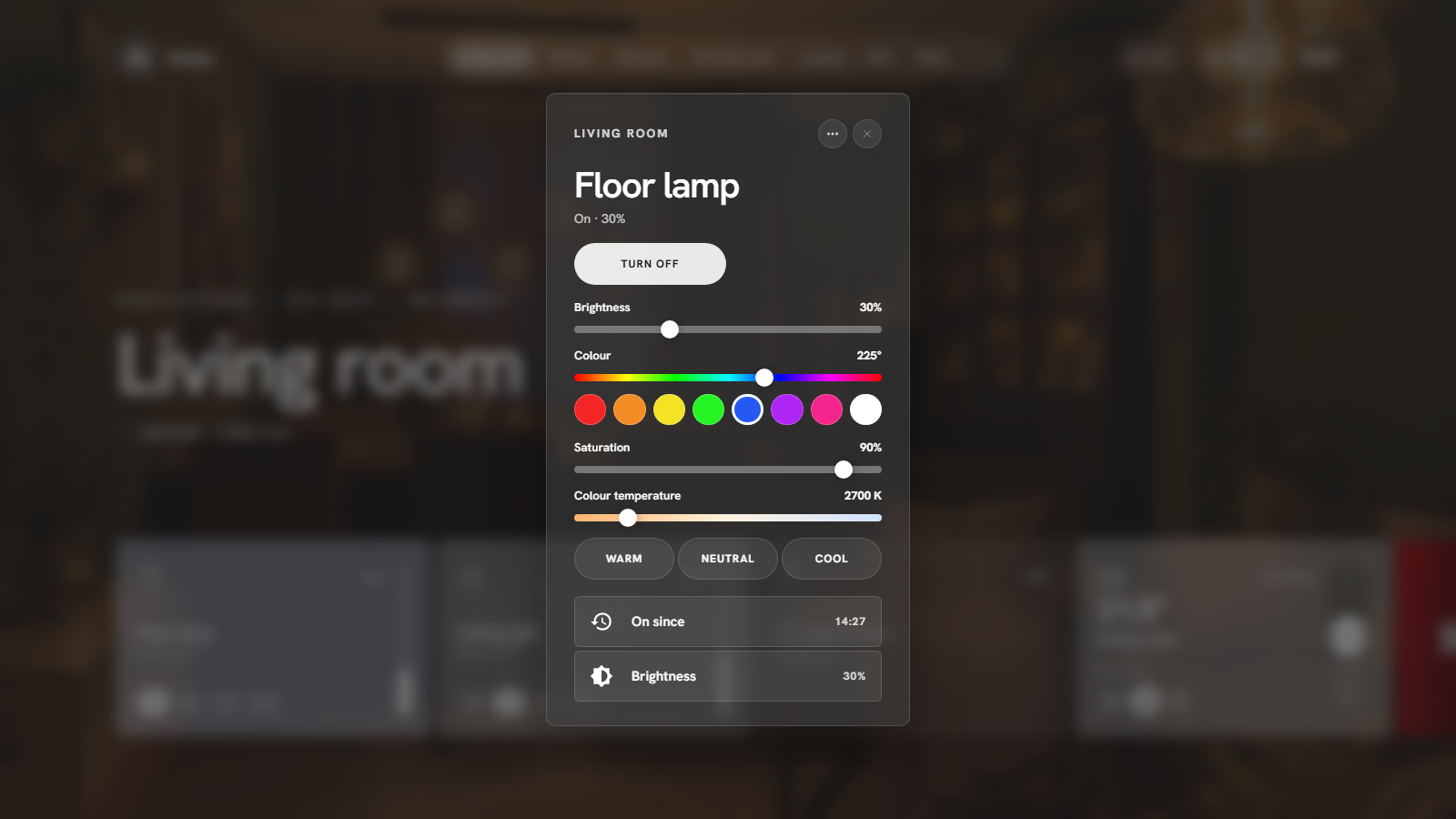
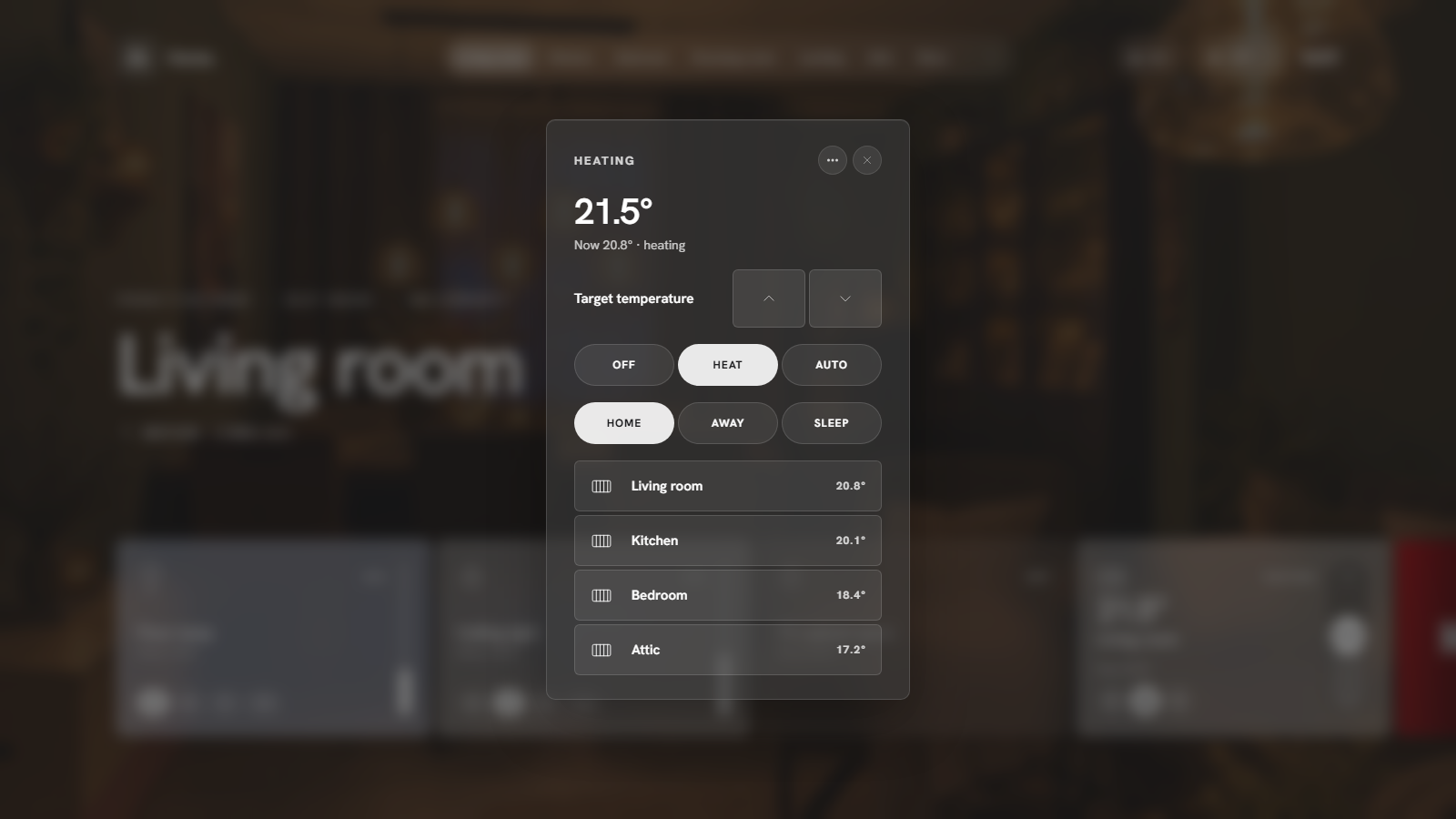
Every card opens a popup with the details: brightness, colour and colour temperature for lights, transport and volume for media, modes and presets for climate, position for covers, and the history of the last 24 hours for sensors.
The ⋯ button next to close opens a small menu over the popup (a sheet at the bottom on phones): Card settings (see Card settings), Open in Home Assistant (Home Assistant's own dialog for the entity), Open device when the entity belongs to a device, and Hide on this page (bring it back under Page settings). Esc or a tap outside closes just the menu.
A few popups do more than show details:
- Agenda: a week grid with a colour per calendar, an all-day row, a now-line and a side column with what is on now, what is next and the calendars to hide; Day and List (a list per day, the default on phones) sit next to Week. Tap an event for its time, location and description.
- Lights (the lights pill): every lamp that is on, per room, with a brightness slider on its row, an off per room, All off, and a hint when a lamp has been on for a while in a room where nothing moved. Hide sliders makes it a plain list again.
- Weather: rain for the next two hours (Buienradar's minute forecast when you have it, the hourly forecast otherwise) with "rain from 16:20, about 25 min", eight hours, the week as a temperature bar per day and the details as tiles.
- Energy: where the power comes from and goes (solar, house, battery, grid) when a solar sensor is set under Settings → Energy, today per hour with the solar share in yellow, and the biggest consumers right now with a switch for the plugs among them.
- Media: every player in the house with a volume slider each, grouping (join a player to the one you opened, Everywhere, Ungroup) for players that support it, a seek bar and Stop all.
Search
The magnifier in the navigation searches rooms, pages and devices. Enter opens the first hit, Escape clears.
Presence
The people pill shows how many people are home; tap for the list with their profile pictures.
Alarm
The shield pill shows the alarm state. Tap to arm or disarm. When the alarm panel uses a code, a keypad appears.
Doorbell and camera popup
Under Settings → Motion & doorbell pick trigger sensors (a binary sensor or an event entity) and a camera. When one fires, the camera stream pops up (and wakes the idle screen), and closes again after the time you set. The same tab chooses which motion sensors feed the motion bar.
Modes
Settings → Modes links modes such as Guest or Vacation to an input_boolean or switch. Toggle them from the More menu; an active mode shows in the notification line. Your automations in Home Assistant do the actual work.
Idle screen
Settings → General → Idle screen: after a number of minutes without touch, the panel dims to the clock, date, weather and a status line. A touch wakes it. Made for wall tablets.
Notifications
Home Assistant's persistent notifications appear in Attention and in the notification line. Tap one in the Attention popup to dismiss it.
Connection
When the connection to Home Assistant drops, a red pill at the top says so until it is back.
Language
HaCasa Nova speaks:
- English
- Nederlands (Dutch)
- Deutsch (German), translated by mlo-Tek
- Español (Spanish), translated by AdriBM
Settings → General → Language: automatic (follows your Home Assistant profile) or one of the languages above. Other Home Assistant languages fall back to English. Want to add yours? It's one file, see Translations.