
Home
Home is the answer to “how am I doing?”: one number at the top, the details underneath.
Safe to spend
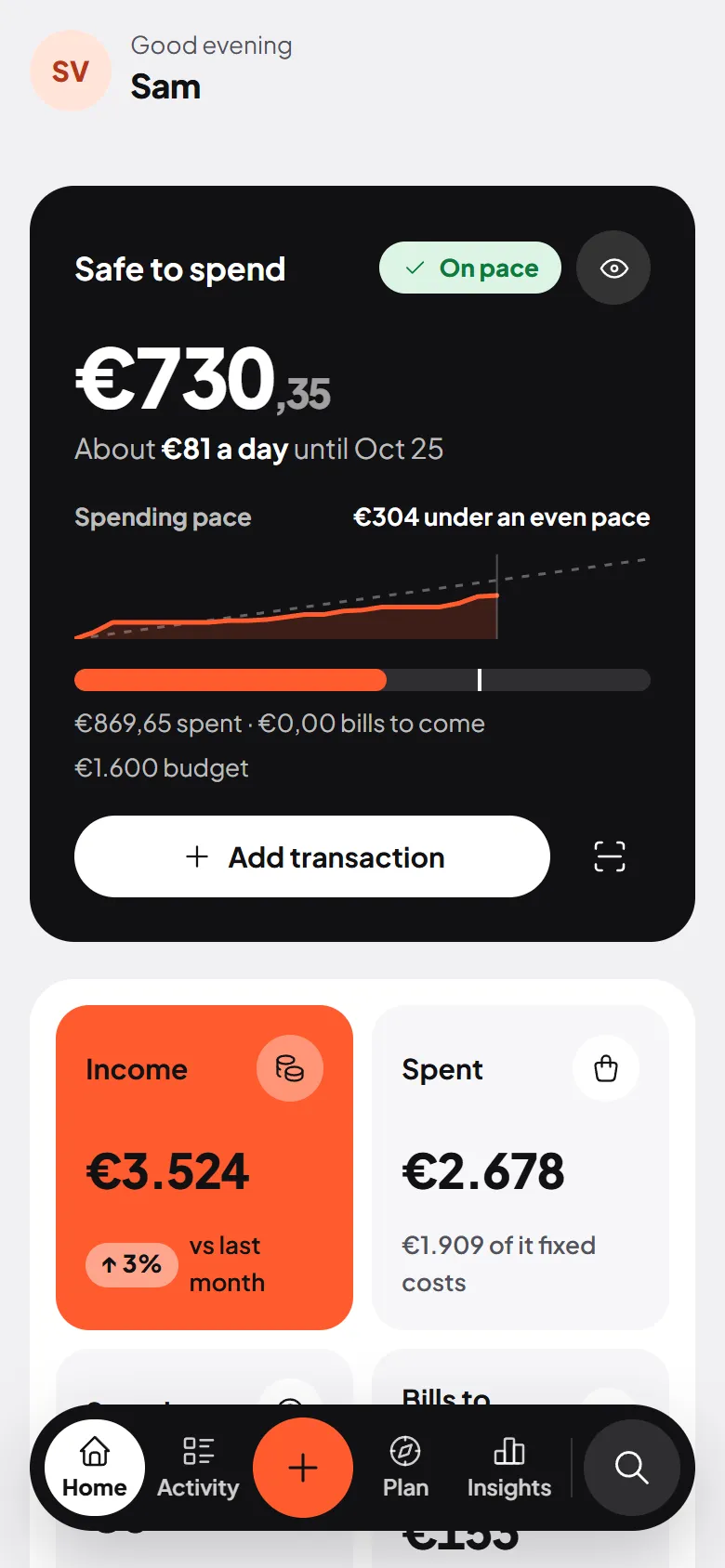
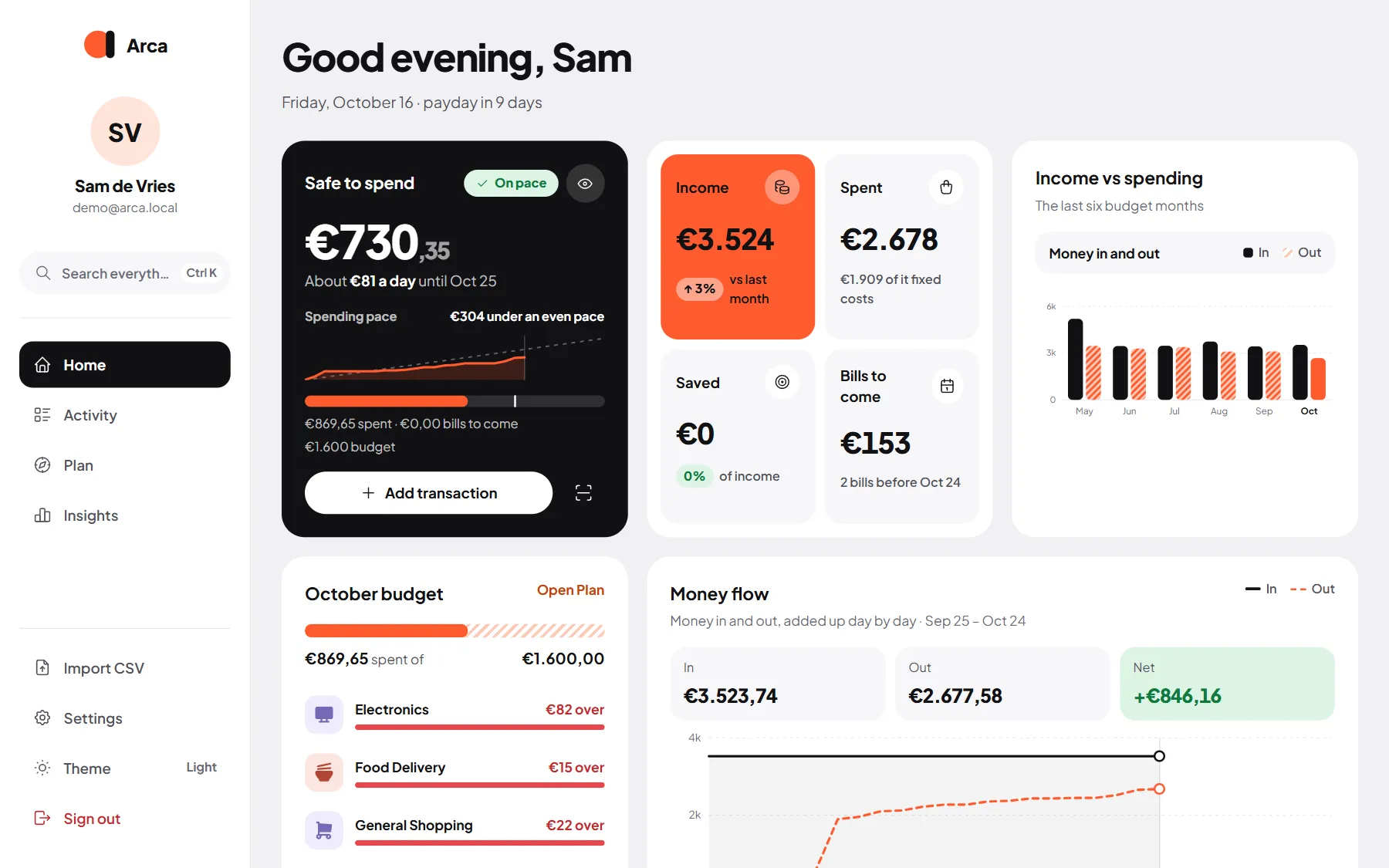
Section titled “Safe to spend”The black card at the top is Safe to spend: what you can still spend this period without going over your budget.
How it's worked out
Budget − spent so far − bills still to come
The line under the bar shows exactly that sum, for example "€640 spent · €310 bills to come".
- Budget is your overall budget, or the sum of your category budgets if you didn’t set an overall one. See Budget.
- Spent so far is what has gone out this period and counts towards the budget.
- Bills still to come are the unpaid bills due between today and the end of the period. Income is never subtracted.
- Under the number you see About €… a day until …: the amount spread over the days left.
A chip tells you how you’re doing:
- On pace: you’re spending at or below an even pace.
- Spending fast: what you’ve spent plus the bills you’ve reserved is clearly ahead of how far the period is.
- Over budget: there’s nothing left to spend this period.
The Spending pace chart compares what you’ve spent with an even pace through the period.
The budget figure under the bar is a link: tap it to open the Budget page.
The card also has Add transaction and a Scan receipt button, and an eye button that turns on privacy mode.
This month
Section titled “This month”Four tiles for the current period:
- Income, compared with last month.
- Spent, with how much of it was fixed costs.
- Saved: money that went into your savings categories, as a share of income.
- Bills to come before the end of the period, or “Nothing left to pay”.
Transfers between your own accounts and money paid back to you are left out, so they don’t count as income or spending.
Income vs spending
Section titled “Income vs spending”The last six budget months side by side: money in as dark bars, money out striped. This month’s spending is the orange bar.
Money flow
Section titled “Money flow”Money in and money out this period, added up day by day. The gap between the two lines today is what you’ve kept so far.
Net worth
Section titled “Net worth”What you own minus what you owe, as Insights › Net worth works it out: the figure today, how much it moved since the budget month started, a bar of what you own against what you owe, and the last six months as a line. Under it, the sums behind the number: Accounts, Savings goals and Debts, each opening its own page. Insights at the top opens the full picture.
Coming up
Section titled “Coming up”The next unpaid bills and expected income this month, soonest first, with Overdue, Today, Tomorrow or “In 3 days”. The link at the top opens Upcoming, where you can mark a bill as paid.
Accounts
Section titled “Accounts”One balance per bank account and the total, which links to your net worth. If an account may go below zero, you see how much of its overdraft you use. See Accounts and assets.
Recent activity
Section titled “Recent activity”Your last seven transactions with their category and a status such as To review, Recurring, Internal transfer or Paid back. View all opens Activity.
Needs a category
Section titled “Needs a category”When transactions are waiting for a category, a strip at the top says how many, with a Review button. See Needs a category.
On your phone
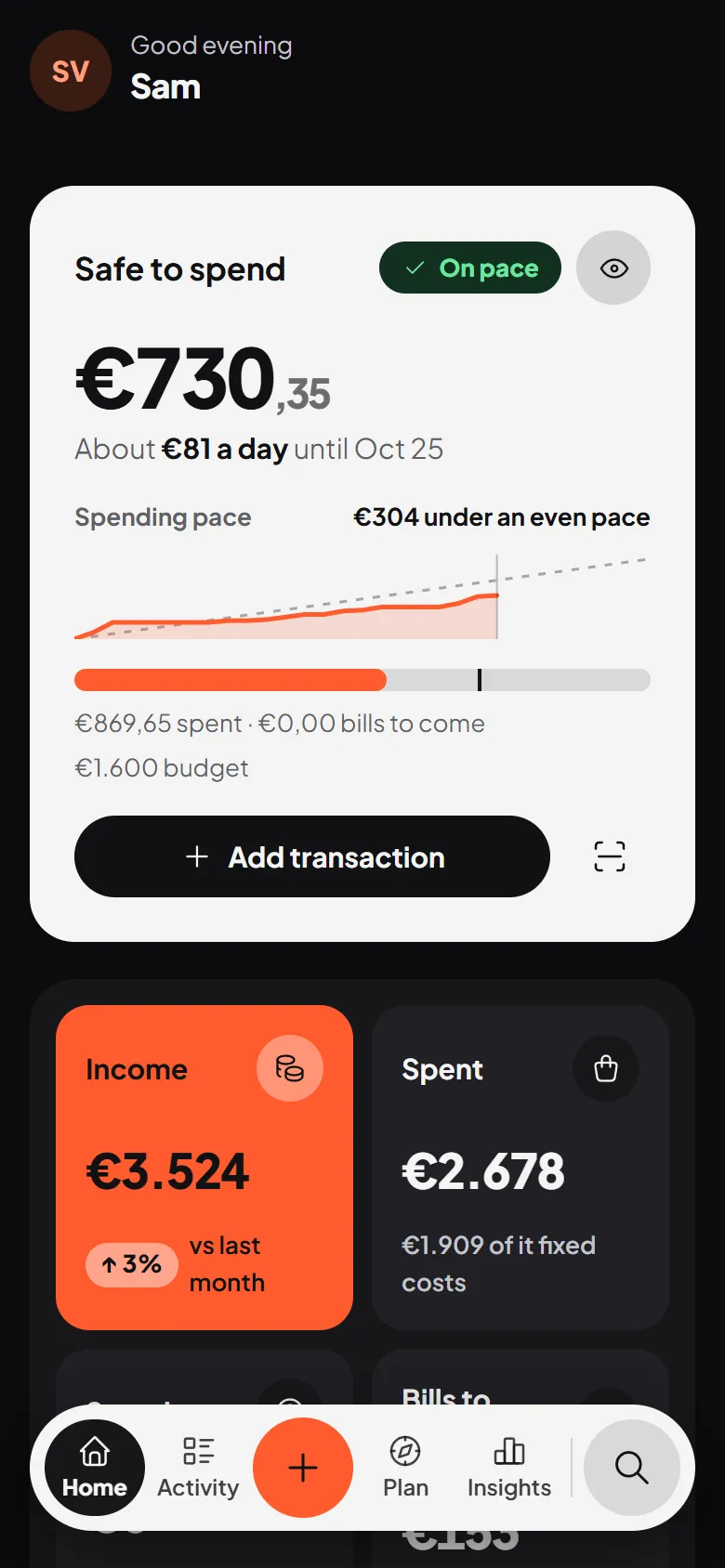
Section titled “On your phone”The same cards, stacked. Your photo at the top opens Settings, and the bar at the bottom takes you to Activity, Plan and Insights, with the orange + in the middle.