

Forecast
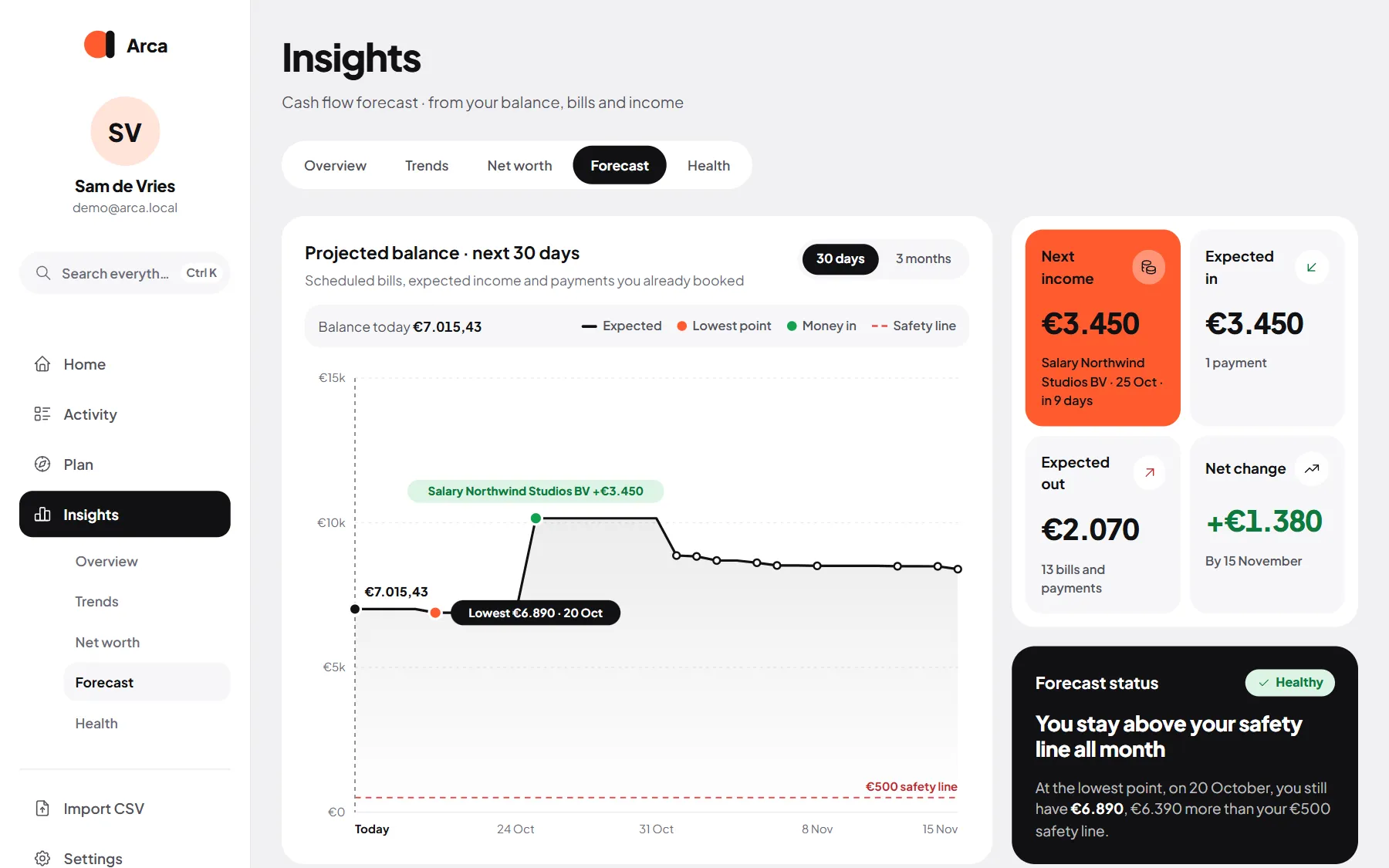
Insights → Forecast projects your balance forward, so you see a dip before it happens.
What it’s built from
Section titled “What it’s built from”- Your balance today: the balances of your bank accounts. This needs a starting balance on at least one account (see Accounts and assets). Without one, the forecast adds up cash flow from today instead.
- Your recurring items: income, bills, subscriptions, savings and debt payments that are still to come. Items already paid this month are left out. See Recurring.
- Payments you already booked with a date in the future.
Transfers between your own accounts don’t count: the money stays yours.
Switch between the next 30 days and the next 3 months at the top.
The verdict
Section titled “The verdict”At the top, one status sums it up:
| Status | What it means |
|---|---|
| Healthy | You stay above your safety line all the way. |
| Warning | You dip below your safety line, into your overdraft, or close to its limit. |
| Critical | You run short: below zero, or past your overdraft limit if you have one. |
| No data | There’s no starting balance and nothing scheduled yet. |
The safety line is a small buffer of 500 (in your currency) above zero, or above your overdraft limit if you count it as spendable. Arca tells you the date of the lowest point and how far above or below the line you are.
The chart and numbers
Section titled “The chart and numbers”The line shows the expected balance day by day, with the lowest point, the money coming in, the safety line and your overdraft limit. Underneath: Next income, Expected in, Expected out and the Net change by the end of the range.
The month plan
Section titled “The month plan”The plan card shows how this month’s expected income is divided over Recurring bills, Savings, your budget, Debt payments and what’s Free to spend (or Short). Use the arrows to see other months.
Coming up
Section titled “Coming up”The next booked and expected payments, as a List or a Calendar with every day that has money moving. Tap a payment for its details.
Change one month
Section titled “Change one month”Is a bill different just once, like a higher energy bill in winter? In the Recurring items card on the Forecast tab, open the item and set the amount for that one month. The rule itself stays the same. Delete override puts the month back to normal.
Overdraft limits
Section titled “Overdraft limits”If your bank lets an account go below zero, tell Arca how far:
- Open the account in Settings → Accounts and fill in Overdraft limit.
- Decide how Arca should treat it with Count overdraft as spendable:
- Off (the default): your overdraft is a safety net. The forecast warns as soon as you dip below zero.
- On: your overdraft is money you may use. The forecast only warns when you get close to the limit, and Home shows your balance including the overdraft.
The switch appears once at least one account has an overdraft limit.