

Budget
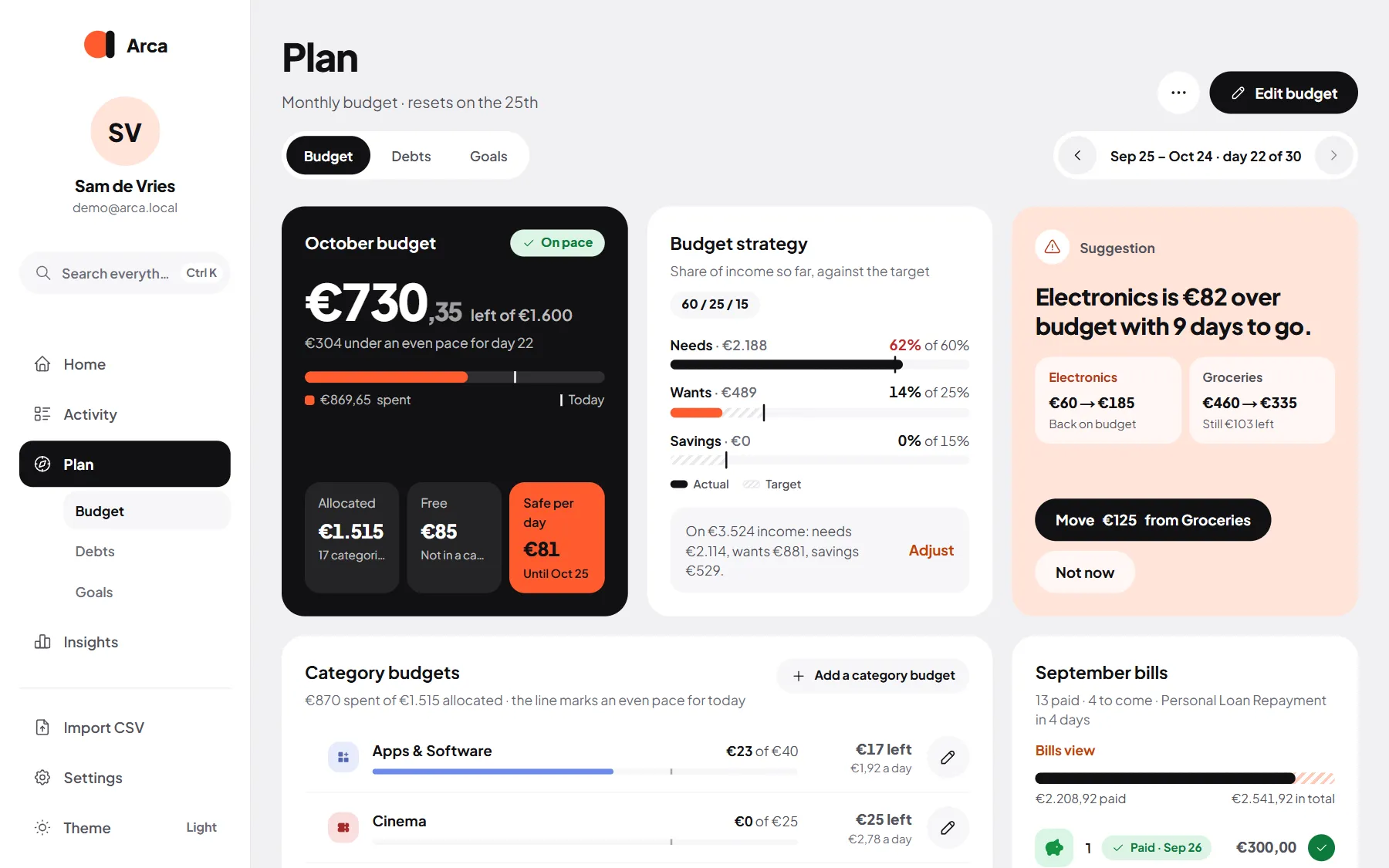
Your budget is what Safe to spend is built on. Set one overall limit, fine-tune it per category if you like, and Arca keeps track of your pace through the month.
You find it under Plan → Budget. The switch under the heading moves between Budget, Debts and Goals.
Your overall budget
Section titled “Your overall budget”The overall budget is the most you want to spend in a period.
- Choose Monthly or Weekly. A monthly budget follows your financial month (usually payday to payday); a weekly one resets every Monday.
- Edit budget changes the amount; Delete budget removes it (and the category budgets with it).
Category budgets
Section titled “Category budgets”Choose Add a category budget to give a category its own limit, one at a time. At the top you see how much is Allocated to categories, what’s Free (not in a category) and the Bills to come.
- Each category shows what it has spent this period and a mark for where an even pace would be today.
- Tap a category for where the money went, its pace and the last months. The pencil edits its budget.
- If your category budgets add up to more than the overall budget, Arca says so and offers to raise the overall budget.
- Spending in categories without their own budget is listed below, and comes out of the free money.
Arca compares what you’ve spent with an even pace through the period:
- On pace: you’re fine.
- Spending fast: you’re ahead of where you’d expect to be by now.
- Over budget: the limit is reached.
You also see how much you’re under or over an even pace, and what’s safe to spend per day.
Move budget in one tap
Section titled “Move budget in one tap”When a category runs hot, a Suggestion card offers to move budget from a category with room to spare, for example “Move €40 from Clothing”. Your overall budget stays the same. Not now dismisses it.
This month’s bills
Section titled “This month’s bills”The bills section lists this budget month’s bills: paid ones above the Today line, the ones still to come below it. A bill is ticked off by itself when it’s paid, or you tick it off yourself. Whether bills also count against your category budgets is up to you: see Budget & bills.
Look back
Section titled “Look back”Use the arrows next to the dates to see how an earlier budget month ended: what you spent, which categories went over, and which bills were paid.
Your strategy: needs, wants and savings
Section titled “Your strategy: needs, wants and savings”The Budget strategy splits your income into three parts:
- Needs: things you can’t skip, like rent, groceries and insurance.
- Wants: everything that’s nice but optional.
- Savings: what you put aside.
Common splits are 50 / 30 / 20, 60 / 20 / 20 and 70 / 20 / 10, or set your own (the three must add up to 100%). Choose Adjust to change it. Arca turns the split into an advised monthly budget, and shows each part’s target (striped) next to what you actually spent or saved.
Which part a category belongs to is its budget type, set per category in Categories and groups.